Orchestrating Support Agents Across Chat, Email, and Voice
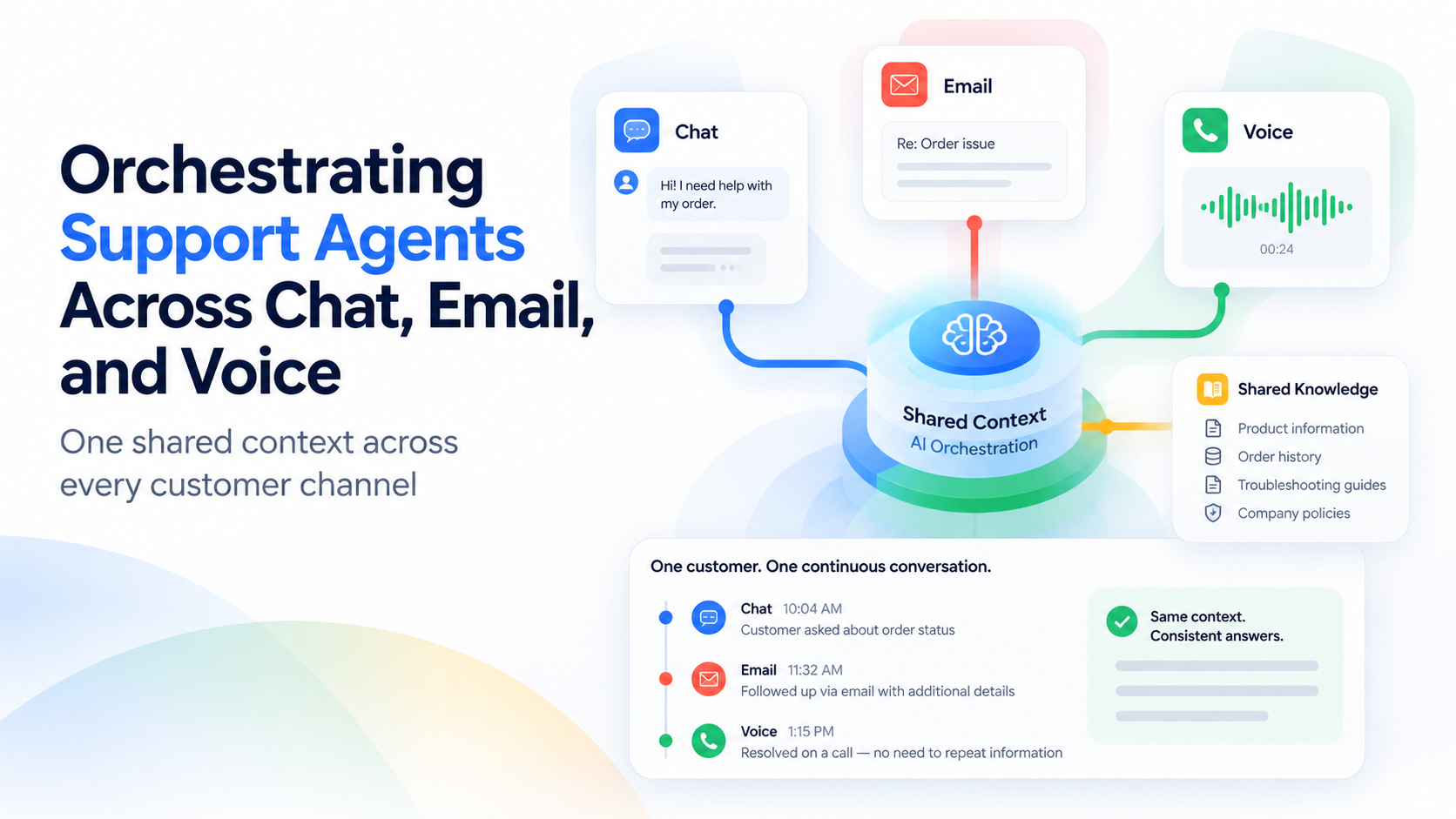
A customer who starts a conversation in chat, gets frustrated, and calls in shouldn't have to explain their issue from scratch but that's exactly what happens when chat, email, and voice support are each running a separate, disconnected agent.
The fix isn't three agents; it's one agent's reasoning and context, deployed consistently across three channels through Contact Center AI Platform, so the voice agent knows what the chat agent already tried.
Evonence has orchestrated multi-channel support agents for Retail and FinTech clients where channel fragmentation was creating repeat-explanation frustration and inconsistent answers between chat and phone support.
3 Signs You're Overdue for This
Omnichannel Support Orchestration Diagnostics
Identify critical operational friction in your customer support architecture and discover how native Google Cloud Contact Center AI (CCAI) resolves policy drift, context loss, and fragmented escalation rules.
Customers repeat themselves across channels
A customer who chatted about an issue has to fully re-explain it when they call, because the voice agent has no record of the chat.
Chat and voice give different answers to the same question
Because each channel runs a separately configured agent, policy interpretation drifts between them over time.
Escalation rules differ by channel for no good reason
A question that escalates to a human immediately in chat gets handled entirely by the voice agent, with no clear reason why.
channels chat, email, and voice that typically operate as disconnected silos before an orchestration layer is introduced, per common contact-center architecture patterns
Turning the Diagnosis Into a Plan
Unify the Context Layer. We connect chat, email, and voice to one shared conversation history and knowledge grounding, so switching channels doesn't mean starting over.
Standardize Escalation Logic. Escalation thresholds are defined once and applied across every channel through Contact Center AI Platform, closing the gaps between how chat and voice currently behave.
This Has Been Built Before
This is the kind of build Evonence's team has carried from pilot to production before, across regulated and high-growth industries alike — happy to connect you with a reference client.
What Stakeholders Usually Ask
Key technical, architectural, and governance considerations for unifying omnichannel support under Google Cloud Contact Center AI.
Where individual channel agents already exist, unification typically takes 6–8 weeks; building from scratch across all three channels runs 10–12 weeks.
No. Orchestration typically layers onto your existing Contact Center AI Platform deployment rather than requiring a platform switch.
A shared context store, accessed through Gemini Enterprise Agent Engine, holds conversation history and state so any channel can pick up where another left off.
Access to the shared context store is scoped and logged centrally, with data handling aligned to PCI DSS and GDPR requirements across all channels uniformly, not per-channel.
Ready to Stop Customers From Repeating Themselves?
Schedule a free 30-minute Omnichannel Support Assessment with one of Evonence's Google Cloud-certified architects. We'll map where your channels currently disagree at no cost.