An Employee Self-Service HR Agent for Policy and Benefits Q&A
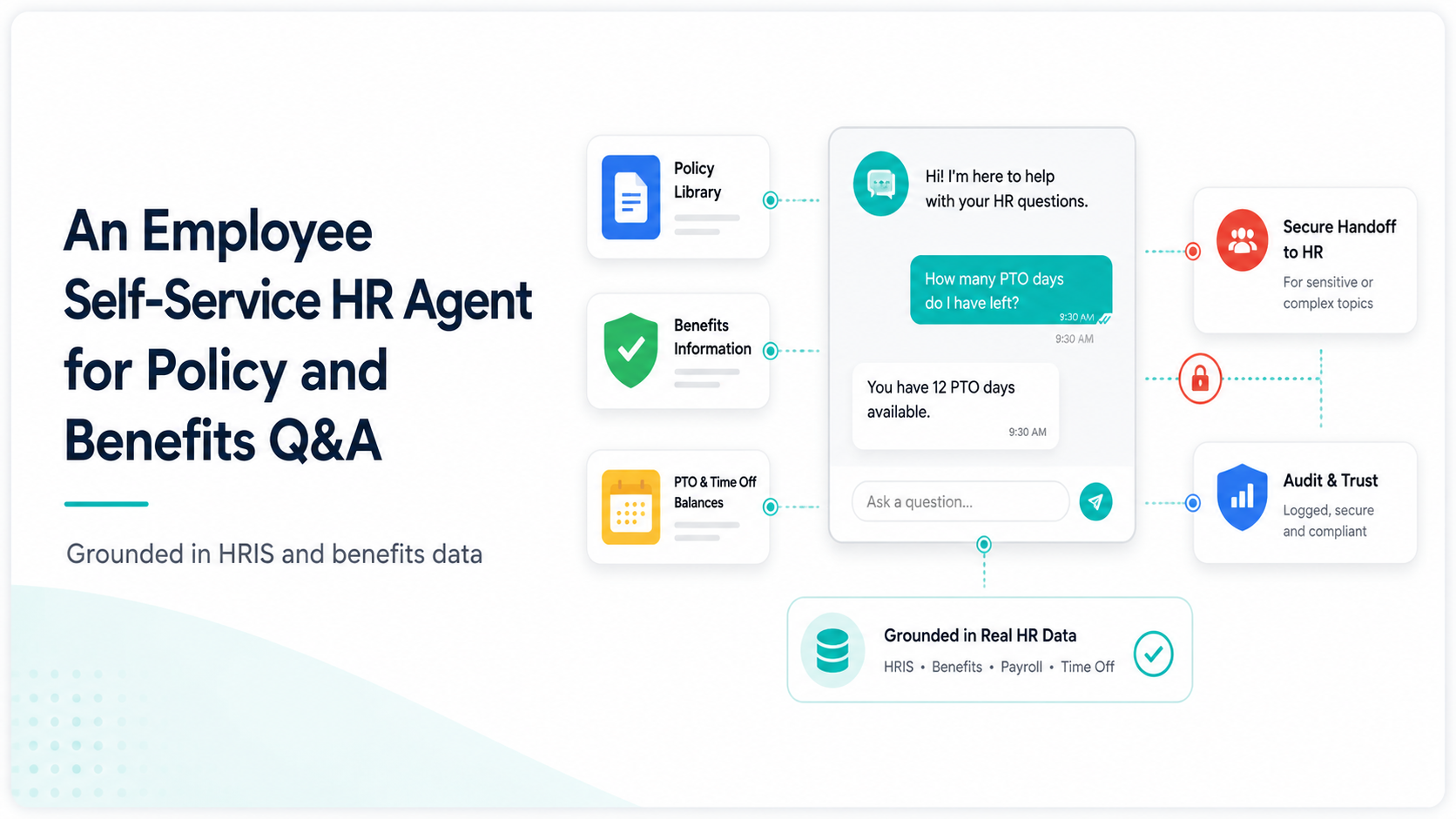
An HR team of five supporting three thousand employees cannot answer every "how many PTO days do I have left" question personally and shouldn't have to, when the answer already exists in the HRIS.
The usual fix, a static FAQ page or an intranet search bar, fails because employees don't ask questions in the exact words the FAQ was written in, and the page can't check their individual accrual balance anyway.
Evonence builds HR self-service agents on Gemini Enterprise Agent Platform, grounded directly in HRIS and benefits data, that answer individually — not generically — and hand off cleanly to a human for anything sensitive.
The Pattern Shows Up Like This
Sign #1: The bot can only answer questions from a policy PDF
It can quote the vacation policy but can't tell an individual employee their actual remaining balance.
Google Cloud fix: Ground the agent in your HRIS via Gemini Enterprise Search, so answers reflect each employee's real data, not the policy in the abstract.
Sign #2: Sensitive topics get the same generic handling as easy ones
A question about parental leave gets the same tone and depth as a question about the office Wi-Fi password.
Google Cloud fix: Build explicit escalation rules in the Agent Development Kit so anything involving leave, disability, or conflict routes straight to a human HR partner.
Sign #3: It only works in one language or channel
Employees in different regions or on mobile can't get the same experience as those on the intranet in English.
Google Cloud fix: Deploy through Google Workspace with Gemini so the agent is reachable from the tools employees already use daily.
What Changes Once You Fix This
Scope the Safe Question Set. We work with HR to define which questions the agent handles directly — PTO balances, benefits enrollment windows, policy lookups — and which always go to a human.
Ground, Deploy, and Monitor. The agent is grounded in your HRIS and benefits systems, deployed through Cloud Audit Logs with a full audit trail, and reviewed monthly against real employee questions.
Example: if employees keep asking a question the agent can't answer, that's the signal to expand its scope next.
What Buyers Want to Know First
How long does it take to deploy an HR self-service agent?
A pilot scoped to PTO and benefits questions for one region typically takes 5–7 weeks, including HRIS integration.
Can this run without disrupting our existing HRIS or Workspace setup?
Yes. The agent reads from your existing HRIS through Gemini Enterprise Search connectors and can be surfaced inside Google Workspace with Gemini rather than requiring a new employee-facing tool.
What's the difference between this and a general HR chatbot?
A general chatbot answers from a script. This agent is grounded in each employee's actual HRIS record, so it gives individualized answers and knows when to escalate rather than guessing.
How is sensitive employee data protected?
Agent access to HR systems is scoped and logged through Cloud Audit Logs, and Evonence configures the deployment to align with ISO 27001 data-handling standards.
Free Up Your HR Team's Time
Schedule a free 30-minute HR Workflow Assessment with one of Evonence's Google Cloud-certified architects. We'll identify the highest-volume questions worth automating first — at no cost.