Contract Review Agents vs. Traditional Clause-Library Search
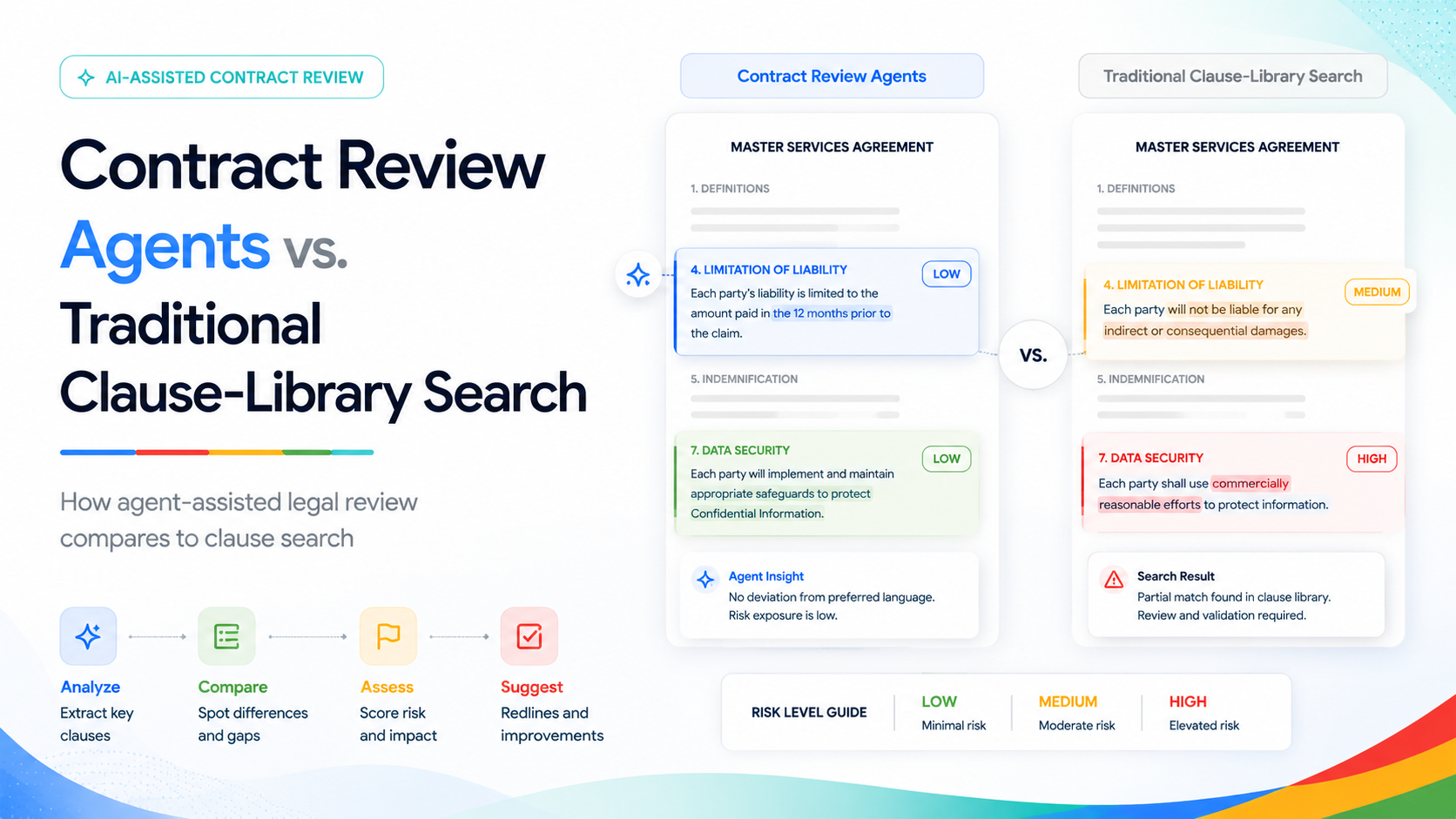
Clause-library search tools solved a real problem: finding "how have we handled this indemnification clause before" without digging through a shared drive of old contracts. That was a genuine improvement over tribal knowledge and a lawyer's memory of a deal from two years ago.
What clause search never solved is the actual review — reading the new contract end to end, comparing every clause against your standard terms, and drafting a redline a counterparty can act on. A search tool tells you where to look. It doesn't do the looking.
A Gemini Enterprise Agent Platform contract review agent, grounded in your executed-contract corpus via Gemini Enterprise Search, closes that specific gap: it reads the incoming document in full, flags every clause that deviates from your standard terms, and drafts a suggested redline for a lawyer to approve — not just a pointer to a past example.
Evonence has built contract review agents for SaaS and FinTech legal teams where contract volume had outpaced the legal team's capacity to review everything at the same depth. The rest of this post walks through what that actually looks like on a real contract, not just in the abstract.
A Contract's Path Through the Agent
Here's what changes for a legal team once this is in place, following one incoming vendor agreement from the moment it lands to the moment it's signed.
| MON |
The contract landsA 34-page vendor agreement arrives from the counterparty. Instead of sitting in a queue, the agent processes it the same day — extracting every clause via Document AI and comparing each one against the team's standard terms and executed-contract history in Gemini Enterprise Search. |
| MON PM |
The first-pass redline is readyBy end of day, the agent has produced a marked-up draft: eleven clauses match standard terms exactly and are left untouched, six have minor deviations with a suggested redline already drafted, and two are flagged as high-risk and routed straight to senior review — not bundled in with everything else. |
| WED |
A junior associate reviews the routine flagsInstead of reading all 34 pages cold, the associate reviews the six flagged deviations and the agent's suggested redlines — accepting four as-is, adjusting two slightly. That's roughly 45 minutes of focused review instead of a multi-hour first pass. |
| FRI |
Senior counsel reviews only what actually needs themThe two high-risk items — an uncapped indemnification clause and a non-standard IP assignment term — reach a partner's desk with full context on why they were flagged and what the standard position is. The partner spends time on judgment calls, not on finding the two clauses that mattered inside 34 pages. |
reduction in first-pass review time commonly reported when clause comparison and redline drafting are agent-assisted rather than fully manual, per legal-ops industry benchmarks.
How Risk Tiers Actually Get Assigned
The routing in that walkthrough isn't a black box — it runs on a risk-tier model legal defines up front, before the agent ever touches a live contract:
| LOW | Auto-redlined with a suggestion — a lawyer confirms, doesn't draft from scratch. Example: a notice period shortened from 60 to 45 days; a confidentiality term using slightly different but equivalent language. |
| MEDIUM | Flagged with a drafted suggestion, routed to the reviewing associate, not skipped. Example: a payment-terms deviation outside the standard range; a limitation-of-liability cap set below your usual floor. |
| HIGH | Always escalated to senior counsel — the agent never redlines these on its own. Example: uncapped indemnification; IP assignment changes; any deviation from a term legal has explicitly marked as non-negotiable. |
Clause-Library Search vs. the Agent, Side by Side
| Clause-Library Search | Contract Review Agent |
|---|---|
| Finds past examples of a clause type | Compares the new contract directly against your standard terms |
| Requires the lawyer to do the comparison manually | Drafts a suggested redline for the lawyer to approve or edit |
| No memory of how similar deviations were resolved before | Grounded in your executed-contract history via Gemini Enterprise Search |
| Search only — no drafting | Drafts, tiers the risk, and routes high-risk terms for senior review |
| Treats every clause type as an isolated lookup | Applies one consistent risk-tier standard across the whole document |
What This Doesn't Do
Worth being direct about the edges, since overselling this creates more legal-team distrust than it's worth:
— It doesn't replace a lawyer's judgment on a genuinely novel deal structure it hasn't seen anything like before — it flags that as high-risk and steps back.
— It doesn't cover a jurisdiction or contract language outside its indexed corpus without additional setup — grounding data has to exist before comparison can happen.
— It doesn't produce a final answer. Every redline is a draft a lawyer approves, edits, or rejects — the agent's output is never the last word on a contract.
Questions Legal Teams Ask Before Signing Off
How long does it take to deploy a contract review agent?
Does this replace our contract management system?
What's the difference between Document AI extraction and the review agent itself?
What happens when the agent hits a clause type it's never seen before?
Can this handle contracts across multiple jurisdictions with different governing law?
How does this handle GDPR and confidentiality requirements for contract data?
Ready to Give Your Legal Team a Head Start on Review?
Schedule a free 30-minute Legal Ops Assessment with one of Evonence's Google Cloud-certified architects. We'll map your risk tiers and identify the lowest-risk contract type to pilot first — at no cost.